
How to Fill Out a Lesson Plan Template Step by Step
Fill out a lesson plan template in dependency order: record the lesson context and intended learning first, then add activities and resources, followed by timing, assessment, and learner adjustments where applicable. If a required school or template form imposes a different sequence, follow that form, then check that every dependent entry still supports the same learning target and practical lesson conditions.
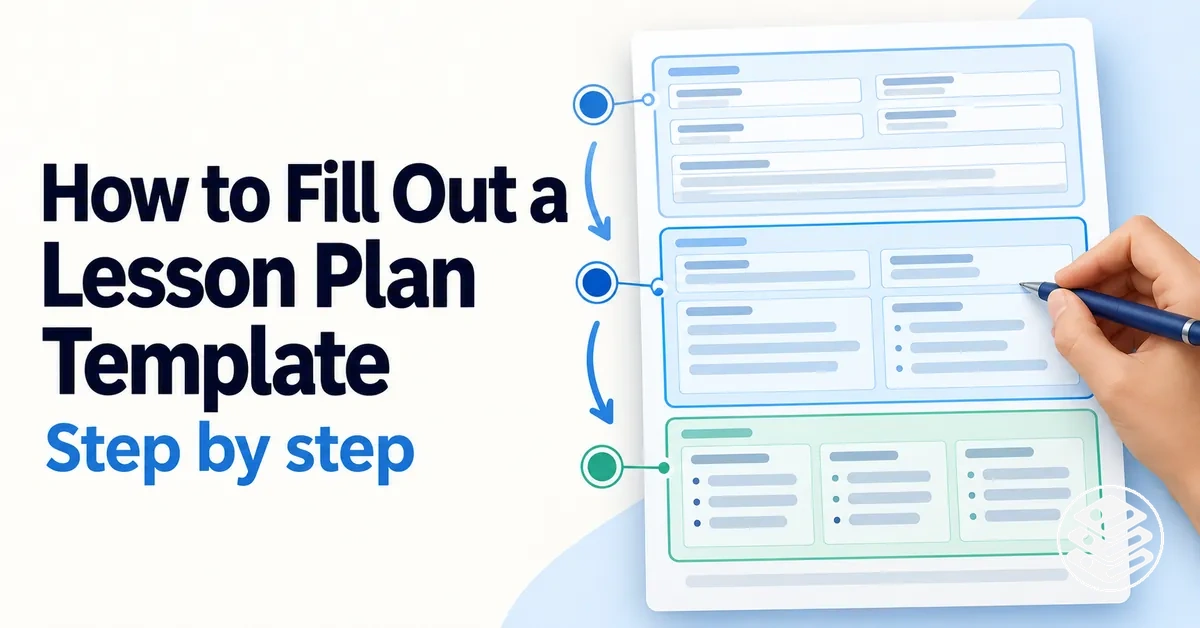
Lesson-plan completion sequence
Use this as a dependency model: each stage supplies information that the next stage needs, so later fields can be completed without contradicting earlier decisions.
Lesson context
Record the class or group, subject or topic, date, duration, and any other identifying fields the form requires.
Sets the context for all instructional entries.
Intended learning
State the learning objective or intended learning that later activities and assessment need to support.
Provides the target for practice and evidence.
Activities
Enter the teaching and learning sequence in the order learners will experience it.
Turns the learning target into an executable lesson sequence.
Resources
Attach materials, equipment, spaces, or other resources to the activities that require them, including who needs access.
Tests whether each planned activity can actually run.
Timing, assessment, adjustments
Allocate time from the activity sequence, connect assessment evidence to the intended learning, and add learner adjustments where relevant.
Completes fields that depend on the core lesson design.
Consistency check
Verify objective → activity → evidence alignment, timing, resource access, learner adjustments, and all required fields.
Confirms that the finished plan is coherent, not merely populated.
Required-form rule: the form’s mandatory field order takes precedence. Keep the same dependency relationships when you refine later entries.
This order is a dependency model, not a universal form order. Exact field names and required sequence can vary by template, school, curriculum, subject, or lesson context; follow the actual form while preserving the relationships between connected fields.
Before finalising the plan, verify that intended learning, activities, resources, timing, assessment, and learner adjustments are consistent with one another and with every requirement of the form.
Table of Contents
Prepare the Information Needed Before Filling In the Template
Before completing a lesson plan template, gather the information that its later fields depend on: the lesson context, intended learning, relevant requirements, learner information, available time, and resources.
Having these planning inputs available makes it easier to enter connected information without revising earlier entries simply because a prerequisite was missing.
The preparation stage should identify what is already fixed, what constrains the lesson, and what can be refined once the core lesson sequence is clearer.
The categories below organize the main prerequisites and show which later entries they inform.

- Lesson context: confirm the class or group, subject or topic, lesson duration where known, and other identifying details required by the form; these provide the context for the instructional fields.
- Learning objectives: identify the intended learning before choosing or refining activities, so later entries can remain connected to what learners are expected to learn.
- Curriculum requirements: gather the relevant curriculum or standards references when the school, subject, or template requires them; these constrain which intended learning needs to be represented.
- Learner information: identify relevant prior knowledge and learner needs that could influence the level, access, or support considered when later lesson decisions are made.
- Available time: confirm the scheduled duration or other time constraints that apply to the lesson; these limit how much instructional activity can reasonably be planned.
- Resources: identify teaching materials, equipment, spaces, or other resources that are available or restricted, because access can constrain the activities that can be entered later.
- Required fields: check the lesson plan template for institutional or form-specific information that must be supplied, while leaving decisions that depend on the emerging lesson sequence open for later refinement.
Readiness does not require every instructional decision to be final; it means the known lesson context, constraints, required fields, and necessary planning inputs are available before substantive field entry begins.
Because the exact requirements differ by template and setting, confirm the required form itself before proceeding, then begin field entry once the available information is sufficient to support the connected lesson decisions.
Confirm the Lesson Context and Required Planning Fields
Confirm the lesson context by identifying the specific lesson being planned and the required fields shown on the lesson plan form.
Depending on the form, lesson details may include the class or group, subject or topic, date, and duration, while other required fields may ask for instructional information.

Identifying or administrative details record which lesson the plan applies to, whereas instructional fields require planning judgment about what will happen within that lesson.
This distinction helps separate details that can be recorded directly from entries that require instructional decisions.
Follow the required fields on the actual form, because the presence and labels of class or group, subject or topic, date, duration, and instructional fields vary by template.
Gather the Objectives, Curriculum Requirements, Learner Information, and Available Resources
Identify the planning inputs that later lesson-plan entries depend on before finalizing activities or assessment details.
Learning objectives, curriculum requirements, learner information, available resources, and practical constraints establish what the lesson needs to address and the conditions within which it can be planned.

- Intended learning: identify the learning objectives so later activities and assessment entries can be developed in relation to what learners are expected to learn.
- Curriculum requirements: identify the relevant standards or other curriculum requirements where they apply, so later entries can account for the intended curriculum expectations without expanding into comprehensive curriculum mapping.
- Learner information: note relevant prior knowledge, learner needs, and access considerations that may affect how later instructional choices are planned.
- Resources: confirm the available resources and materials that can support the lesson, because their availability can constrain which activities are practical.
- Practical constraints: identify applicable time constraints and access limitations so later entries reflect what can reasonably be carried out in the lesson context.
These planning inputs inform different parts of the lesson plan without dictating a single instructional approach.
Their exact content depends on the applicable curriculum, the known learner information, and the resources, time, and access available in the lesson context.
Together, they define the requirements and constraints that later activities, assessment details, and other dependent entries need to accommodate.
Once the relevant inputs and constraints are identified, there is enough planning context to begin drafting the instructional sequence coherently.
Complete the Lesson Plan Fields in a Logical Order
Complete lesson plan fields in dependency order so each earlier decision provides a usable basis for later entries.
A practical completion sequence moves from basic lesson details to intended learning, then activities and resources, followed by timing, assessment, and learner adjustments where those fields apply.

- Enter basic lesson details: establish the lesson context that later instructional entries need to refer to.
- Establish intended learning: record the intended learning or learning objectives so later choices have a clear instructional reference point.
- Connect activities and resources: identify the activities and resources that support the intended learning and establish what the lesson will require in practice.
- Complete timing and assessment: use the planned activities and intended learning to allocate timing and connect assessment to what the lesson is intended to achieve.
- Add learner adjustments where required: account for relevant learner needs once the core sequence is visible, then verify that the dependent entries remain consistent.
Later entries depend on earlier ones because their meaning and feasibility are shaped by decisions already recorded.
Timing depends on the planned activities, while assessment needs to connect to the intended learning rather than stand as an isolated field.
A required school, institution, or template form may impose a different field order, so follow that required sequence while retaining the same dependency logic where possible.
Before moving into the detailed field-by-field work, verify that the basic lesson details, intended learning, activities, resources, timing, assessment, and learner adjustments form a coherent sequence.
Enter the Basic Lesson Details First
Enter the basic lesson details that identify the lesson instance before completing instructional entries.
Record known identifying details in the fields present on the form, because these fields establish which lesson the later planning decisions describe.

Depending on the form, identifying details may include the subject, class or year level, date, lesson topic, and scheduled duration.
These entries record the lesson context rather than determine the activities, assessment, or other instructional decisions.
Enter only the basic fields that the form provides and for which the identifying information is known.
Field labels and requirements may differ between lesson plan templates.
Record the Intended Learning Before Dependent Entries
Record the intended learning before finalizing activities and assessment because those dependent entries need an explicit learning target to support or evidence.
The learning objective provides the reference point for alignment between what learners are expected to demonstrate and what the lesson later asks them to do.

A specific learning objective gives later activities a defined focus, while an observable learning objective indicates what evidence an assessment can seek.
This does not require one objective-writing formula; the wording may need to reflect the curriculum requirement or template field being used.
The important dependency is that activities and assessment can be connected to an explicit statement of intended learning.
For example, if the intended learning states an observable performance, the activity can provide an opportunity to perform it and the assessment can record relevant evidence of that performance.
Keep the learning objective at the level required by the curriculum or template rather than expanding this completion step into a separate objective-writing method.
Add Teaching and Learning Activities in Sequence
Enter teaching and learning activities in the order learners will experience them so the activity sequence can be followed during the lesson.
Each stage should have a clear purpose and show what the teacher and learners will do as the lesson progresses.
- Opening: establish the starting point for the lesson; the teacher action introduces or activates the relevant context, while the learner action engages with that starting point in relation to the intended learning.
- Development: move into the main learning task; the teacher action guides or supports the activity, while the learner action works with the content, skill, or process needed to develop the intended learning.
- Closure: conclude the activity sequence by bringing the learning together; the teacher action prompts consolidation or review, while the learner action demonstrates, summarizes, or reflects on the intended learning as appropriate.
Each activity should connect its purpose, teacher action, and learner action to the intended learning rather than function as a disconnected task.
Adjacent activities should form an executable progression, with each stage providing the context or preparation needed for what follows where that dependency exists.
The appropriate activities and their order depend on the subject, learner group, lesson length, and instructional approach.
Labels such as opening, development, and closure are examples; use the stage labels and structure required by the lesson format.
Record Resources and Materials Against the Activities They Support
Record teaching resources and materials against the activity that requires them so their purpose is explicit rather than leaving them as a detached inventory.
Resource-to-activity rule
Record resources as implementation conditions for specific activities, not as a detached inventory.
- What to record
- For each activity, identify the resource or material required and whether it must be available to the teacher, the learners, or both.
- Availability and access
- If a required resource is unavailable or inaccessible to the people who need it, the activity cannot proceed as planned.
- Substitution rule
- When an available alternative supports the same activity purpose, record the substitute; otherwise, adjust the activity itself.
- Essential vs optional
- Treat a resource as essential when the activity cannot proceed without it. Optional support can be substituted or omitted without preventing the activity from being carried out; the distinction matters when access changes implementation.
Complete Timing, Assessment, and Learner Adjustments After the Core Sequence Is Clear
Complete timing, assessment, and learner adjustments once the intended learning and core sequence are clear enough to show what these dependent lesson-plan fields need to support.
If a required form asks for any of these entries earlier, follow its required order and refine them as the core sequence becomes clearer.
Dependent fields at a glance
Timing
Base each activity duration on what that activity requires within the total lesson time. The complete allocation should make the sequence executable, including the practical effect of transitions or setup when they apply.
Assessment
Record assessment against the intended learning by stating the evidence the assessment is expected to capture. Assessment should remain connected to the learning target rather than appear as an independent add-on.
Learner adjustments
When a known learner need affects access or participation, record the specific adjustment and its implementation implication. Use the adaptation required by the learner and lesson context rather than assuming one standard adjustment.
Check That the Completed Entries Work Together
Check the consistency of the completed lesson-plan entries by verifying that related fields support one another, not merely that every required field contains text.
A plan can be complete at the field level while still lack coherence because its intended learning, activities, resources, timing, assessment, or learner adjustments conflict.
Completeness means the required fields have been filled in, whereas consistency means the information across those fields works together without an obvious contradiction or impractical dependency.
A populated field therefore does not by itself establish that the connected entries are coherent.
Use the checklist to verify the main relationships between the completed entries.
- Intended learning and activities: check that the activities support the intended learning rather than addressing an unrelated learning focus.
- Activities and resources: check that the resources required by each activity are identified and available under the conditions recorded in the plan.
- Activities and timing: check that the planned activity durations fit within the available lesson time and do not create an obvious timing conflict.
- Intended learning and assessment: check that the assessment can provide evidence related to the intended learning rather than measuring an unrelated outcome.
- Learner adjustments and implementation: check that recorded learner adjustments address the relevant access or participation need without conflicting with the planned activity.
- Required fields and completeness: check that no field required by the actual lesson plan template remains incomplete.
If a check fails, identify the conflicting or missing entries and revise the smallest dependent entry needed to restore consistency.
Recheck the affected relationship after the change rather than treating completion of every field as proof of coherence.
Check the Alignment Between Intended Learning, Activities, and Assessment
Check alignment by confirming that the intended learning is practised through the planned activities and can reasonably be evidenced by the assessment.
An observable learning objective provides a target that can be compared with both the learning task and the evidence the assessment is intended to capture.
The intended learning states the target, the activities provide opportunities to practise or demonstrate that target, and the assessment records relevant evidence of it.
A mismatch exists when one part of this chain addresses something materially different, such as an activity unrelated to the stated learning objective.
Use the checklist to test the target → practice → evidence relationship.
- Target clarity: check that the intended learning is specific enough to identify what learners are expected to know, do, or demonstrate.
- Activity relevance: check that the activities give learners an opportunity to practise or work with the intended learning.
- Evidence fit: check that the assessment can reasonably provide evidence related to the stated learning objective.
- Mismatch signals: check whether an activity or assessment addresses a different learning target from the intended learning recorded in the plan.
A mismatch indicates that the intended learning, activities, or assessment entry needs reconsideration; it does not establish that one assessment method is universally correct.
Keep this check at the level of alignment and evidence rather than expanding it into full guidance on how to plan assessment activities.
Check That Timing and Resources Support the Planned Activities
Check the feasibility of the planned activities by confirming that each activity duration fits within the available time and that the required resources are available and accessible when needed.
Timing and resource conditions should be evaluated against the actual activity sequence rather than treated as complete simply because their fields contain entries.
Realistic timing can vary with the learner group, task complexity, transitions, setup, and classroom conditions, while resource feasibility depends on availability and access for the people who need the materials.
A condition that is adequate for one activity or class context may therefore be inadequate for another.
Use the checklist to test whether the recorded time and resource conditions support execution of the planned activities.
- Activity duration: check whether the recorded activity duration fits within the available time; if the planned durations exceed the lesson time, the sequence requires adjustment.
- Transitions: check whether transitions between activities can be accommodated within the timing recorded for the sequence; if they cannot, the planned timing may underestimate the time required.
- Setup: check whether any necessary setup can occur within the planned sequence; if setup requires time or conditions not accounted for, the affected activity may need adjustment.
- Resource availability: check whether the resources or materials required for each activity are available when needed; if a required resource is unavailable, that activity cannot proceed as recorded unless an appropriate alternative is used.
- Learner access: check whether learners who need a resource can access it under the planned classroom conditions; if access is inadequate, implementation may need adjustment even when the resource itself is available.
If a timing or resource condition appears inadequate, revise the affected activity, time allocation, resource choice, or access arrangement before treating the sequence as feasible.
Keep any timing revision specific to the learner group, task complexity, transitions, setup, and classroom conditions rather than assuming one duration will suit every context.
Correct Missing, Conflicting, or Misplaced Entries Before Finalising the Plan
Correct entry-level errors before treating the lesson plan as complete: a missing entry leaves required information absent, a conflicting entry creates an inconsistency with a related dependency, and a misplaced entry puts information in a field that does not match its purpose or level of detail.
Distinguishing these three error classes helps direct the correction to the underlying problem rather than only changing the wording.
- Missing entry: the consequence is an incomplete required field or dependency; the recognition cue is a required field left empty or information needed by a dependent entry being absent; the correction is to add the missing information in the appropriate field.
- Conflicting entry: the consequence is a contradiction between related parts of the plan; the recognition cue is that one entry appears inconsistent with the intended learning, activity, resource, timing, assessment, or other entry it depends on; the correction is to revise the conflicting entry after confirming that the lesson context does not explain the apparent mismatch.
- Misplaced entry: the consequence is that relevant information is recorded under the wrong field or at an unsuitable level of detail; the recognition cue is that the information does not serve the stated field purpose; the correction is to move or revise it so the information matches the field it is intended to complete.
The consequence identifies why the field error matters, while the recognition cue identifies the visible omission, contradiction, or placement problem that requires correction.
Correct the dependency that produced the inconsistency rather than polishing an entry that still conflicts with related information.
After the correction, recheck the affected entries against the field purpose and the information they depend on.
This keeps the repair local without expanding the review into a broader lesson-planning mistake audit.
For example, if an assessment entry asks for evidence unrelated to the recorded intended learning, revise the assessment entry so the evidence corresponds to that learning target rather than merely rephrasing the unrelated assessment.
The corrected entries should then agree with their relevant dependencies before the plan is finalised.
Completed Lesson Plan Example: How the Fields Connect
This illustrative completed lesson plan shows how lesson details, intended learning, activities, resources, timing, assessment, and a learner adjustment can form one connected planning record.
The example focuses on the connection between fields rather than presenting a universal template or prescribed lesson model.
| Lesson plan field | Illustrative entry | Connection to another field |
|---|---|---|
| Lesson details | Year 6 science lesson on identifying changes of state | Establishes the subject, learner context, and topic for the intended learning and activity sequence. |
| Intended learning | Learners identify and describe examples of melting and freezing. | Provides the learning target that the activities support and the assessment seeks evidence of. |
| Activities | Learners examine example changes of state, classify them as melting or freezing, and explain their classifications. | Gives learners an opportunity to practise and demonstrate the intended learning. |
| Resources | Prepared example images and classification cards | Supports the classification activity and must be available and accessible when that activity occurs. |
| Timing | Time is allocated to examining examples, classifying them, and explaining the classifications within the available lesson time. | Constrains the activity sequence so the planned tasks remain feasible in the lesson context. |
| Assessment | Learner classifications and explanations are reviewed for evidence that melting and freezing can be identified and described. | Corresponds to the intended learning and uses evidence produced through the planned activity. |
| Learner adjustment | Provide accessible versions of the example images or an alternative way to respond where a known learner need affects access or participation. | Supports access to the same activity and intended learning while adapting implementation to the relevant learner context. |
The strongest connection runs from intended learning to activity to assessment evidence: the learning target establishes what learners are expected to demonstrate, the activity creates an opportunity to demonstrate it, and the assessment examines relevant evidence from that work.
The activity also depends on its resources being available and accessible, while timing constrains whether the sequence can be completed within the available lesson time.
The fields work together when each dependent entry can be traced back to a preceding purpose, constraint, or learning target.
The illustrative entries are not prescribed wording because subjects, year levels, learner needs, institutional requirements, and template formats can require different information.
In a completed lesson plan, coherence means the lesson details, intended learning, activities, resources, timing, assessment, and any learner adjustment form connected, executable entries rather than matching identical wording or a universal format.